Franke
Notification Center
Requirements
1. Create an option for users to receive email notifications when items are back in stock.
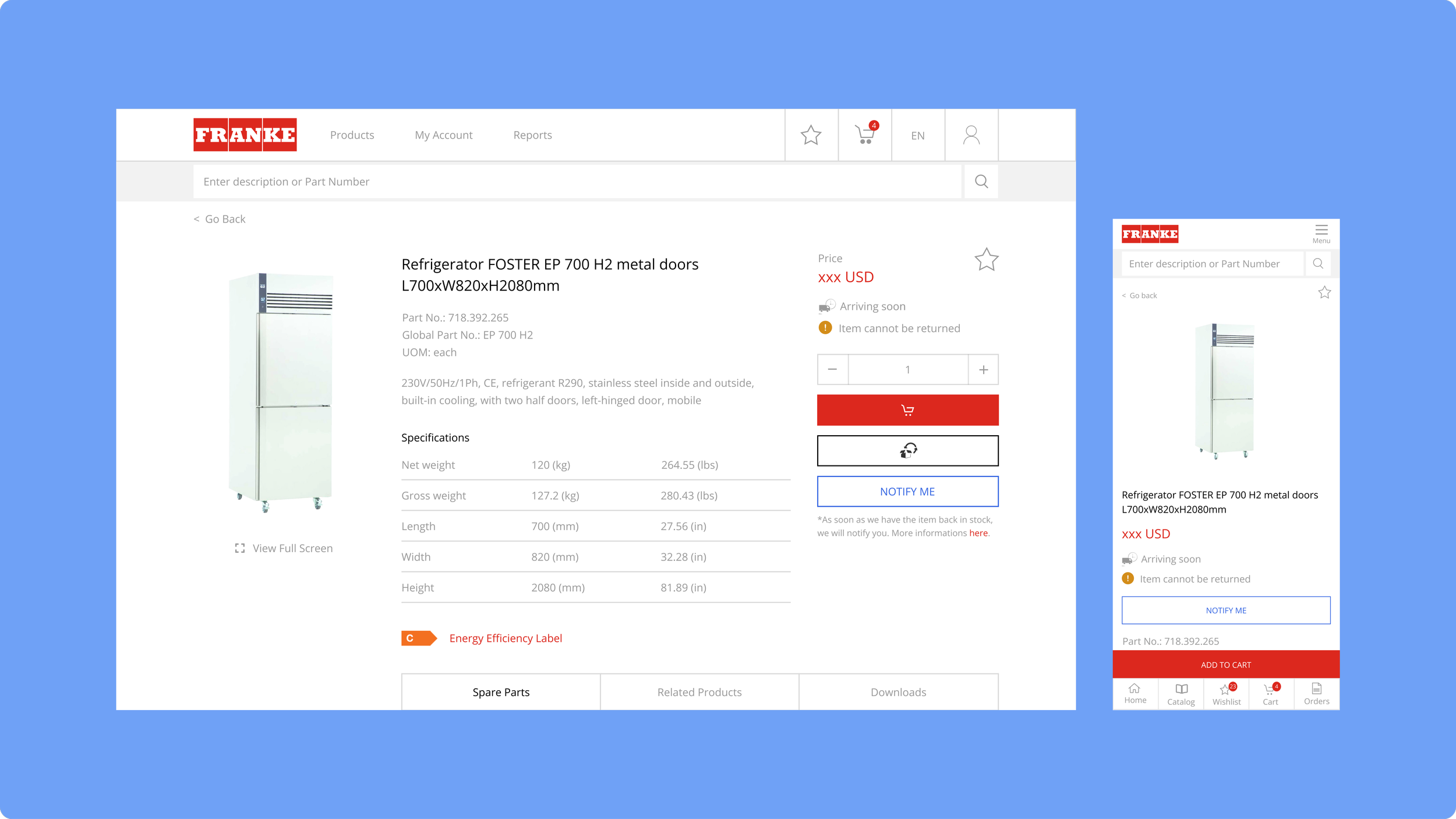
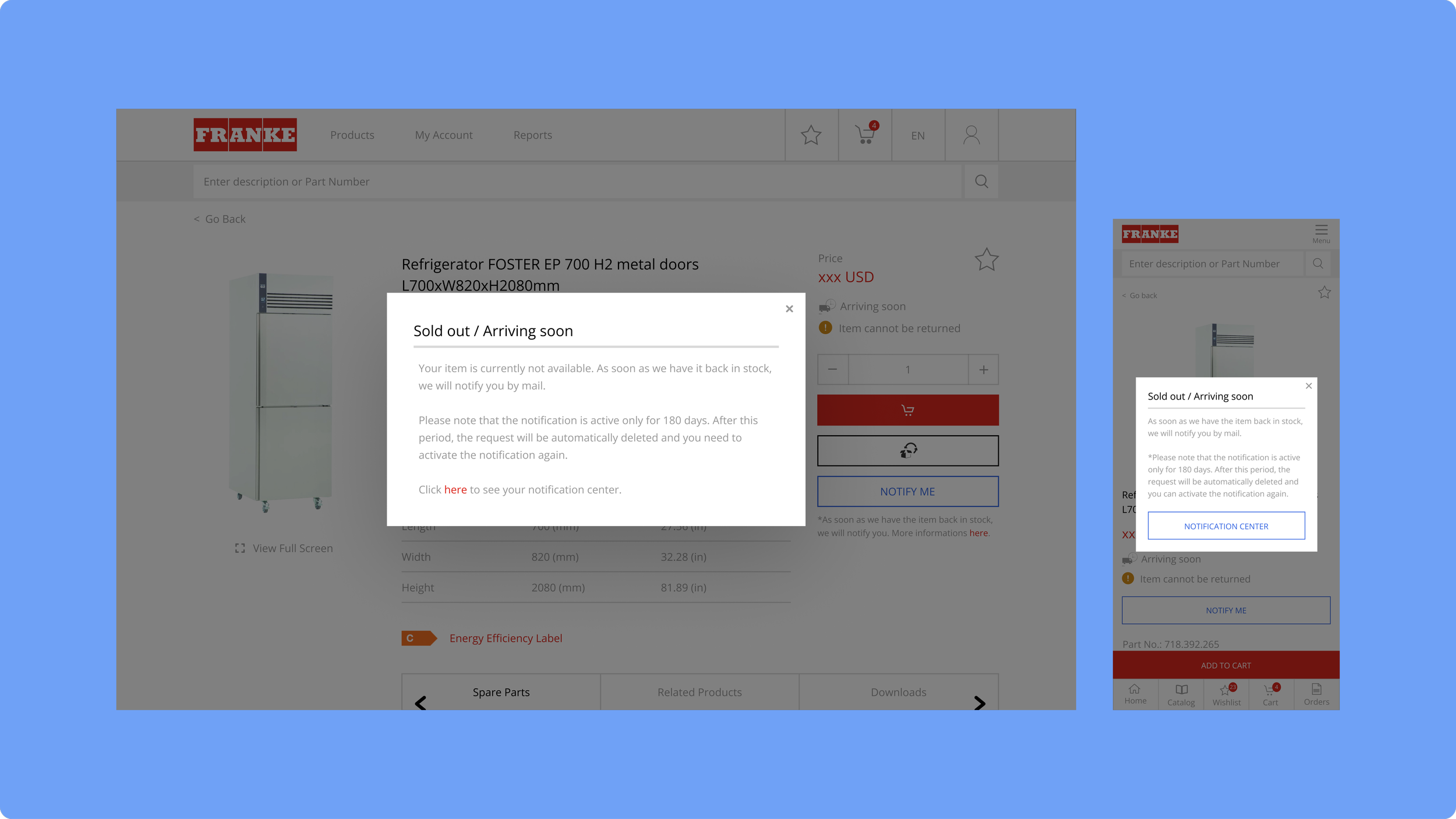
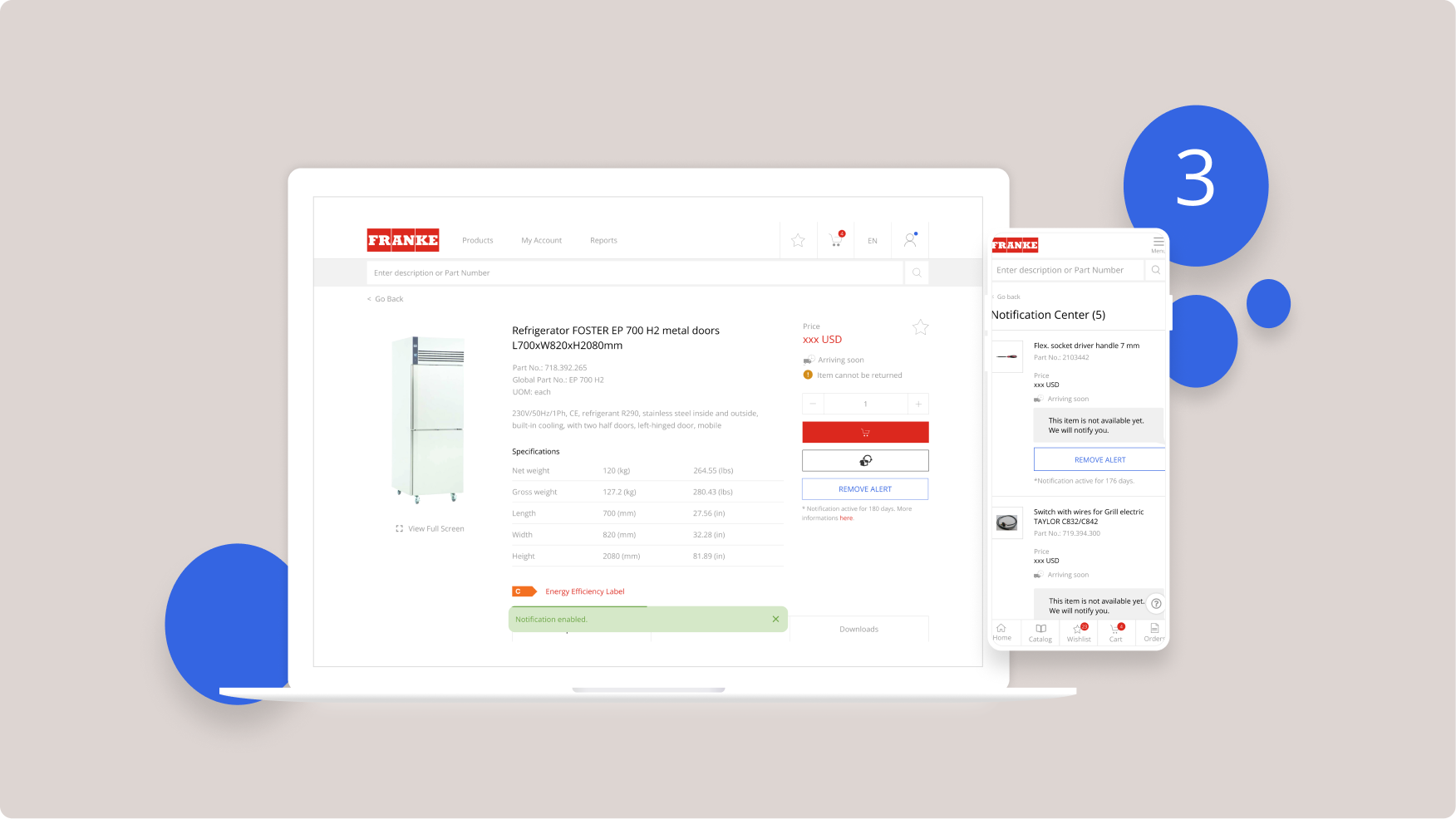
2. Add a new button on the product page to enable/disable notifications, which leads to a pop-up displaying the message “Out of Stock / Coming Soon.”
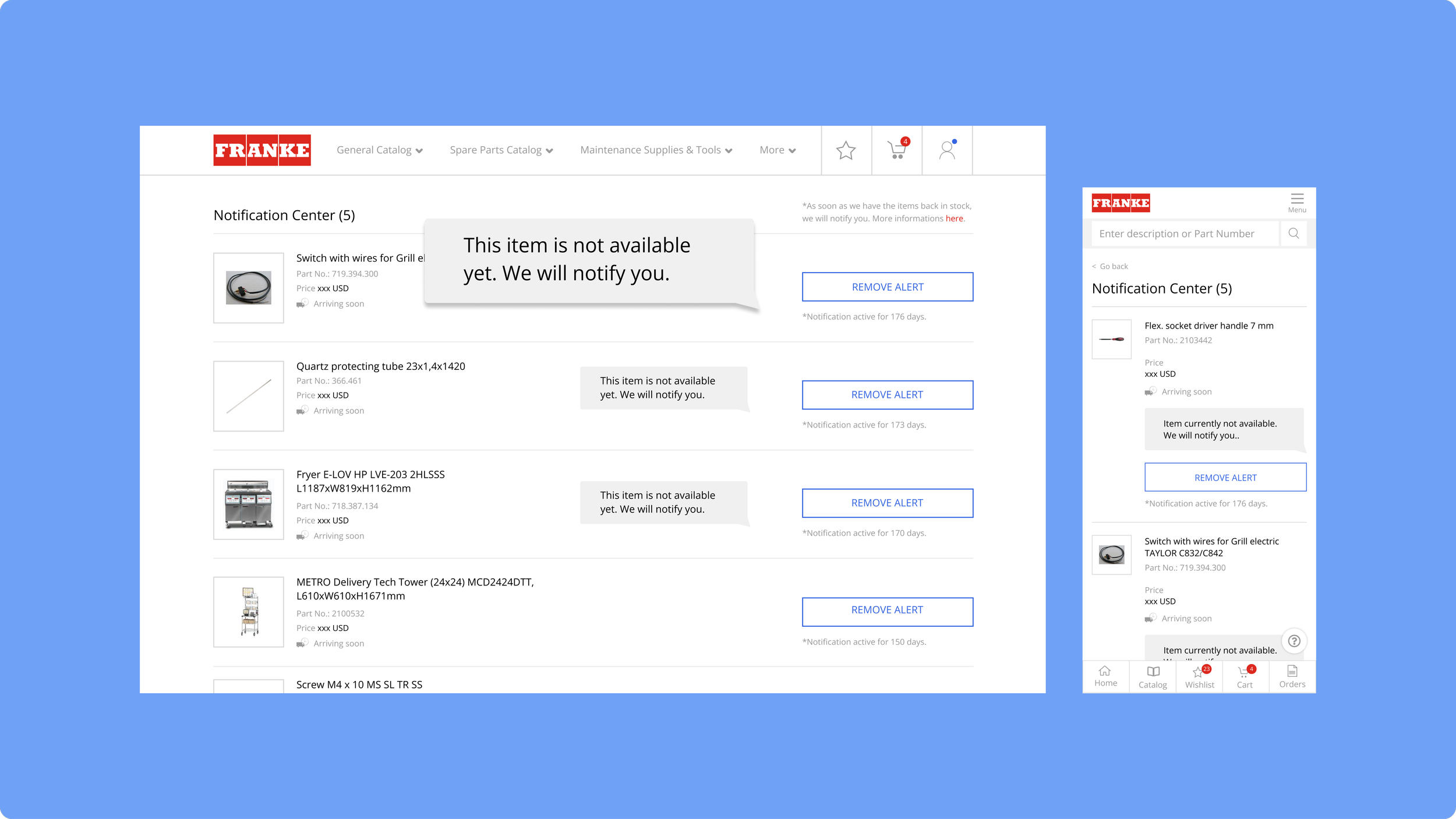
3. Develop an overview page (Notification Center) that shows all active notifications for the user.
Implementation and Challenges
The new information needed to be presented in a way that wouldn't overwhelm the user, ensuring it was as clear and intuitive as possible.
Result
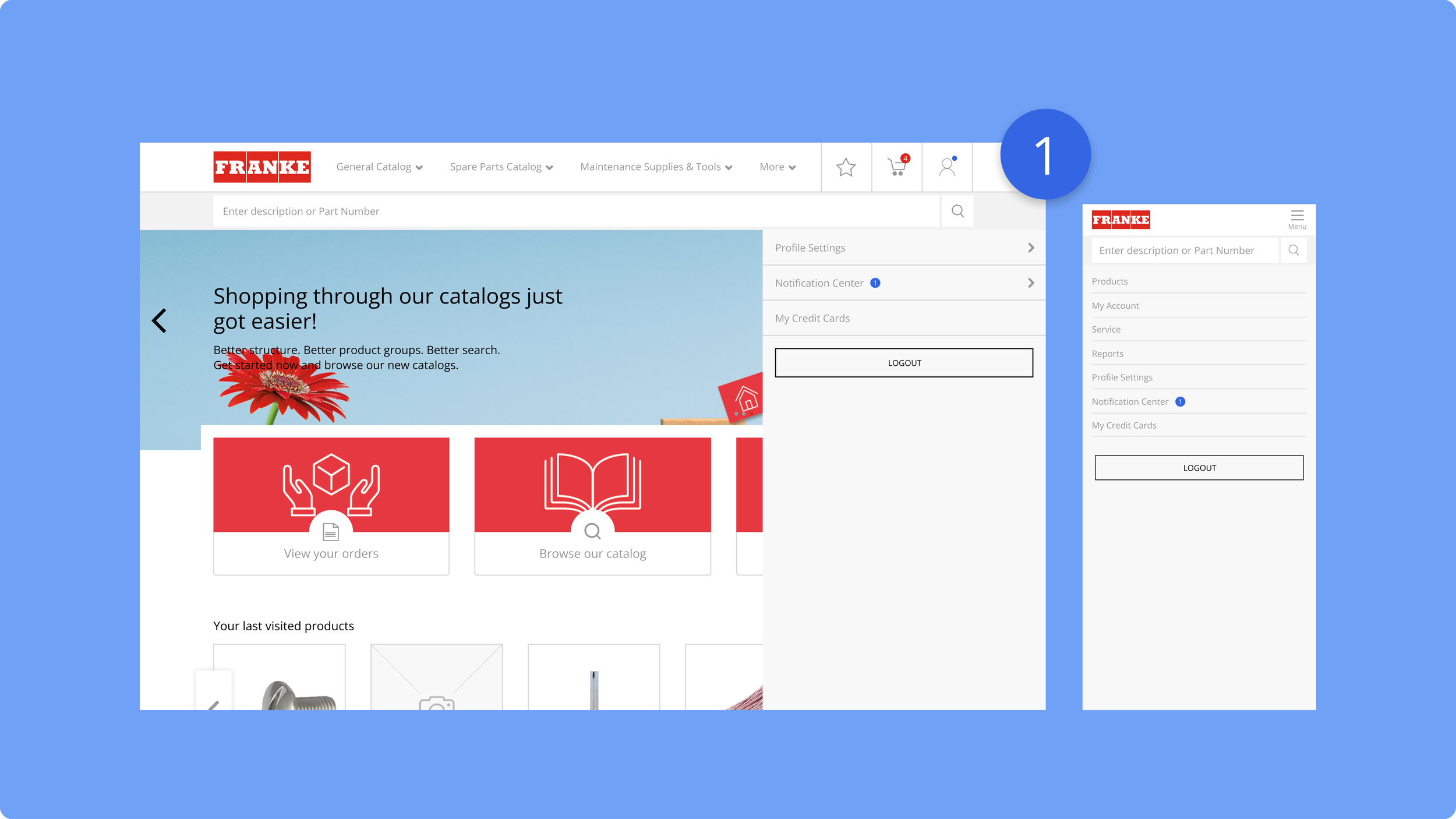
On the product detail page, users can activate notifications for out-of-stock items. A "Notification Center" in the profile menu allows users to manage and delete notifications, as well as access detailed information.